
Scaling Your Brand with Blinkit: The Ultimate Seller’s Guide
In the world of commerce, speed and efficiency are everything. If you want to get your products to customers in minutes the Blinkit Seller Hub is your key to success. Whether you are a brand or an established business understanding Blinkit is the first step to rapid growth. Here is a simple breakdown of how to use the Blinkit Seller Hub and improve your operations.
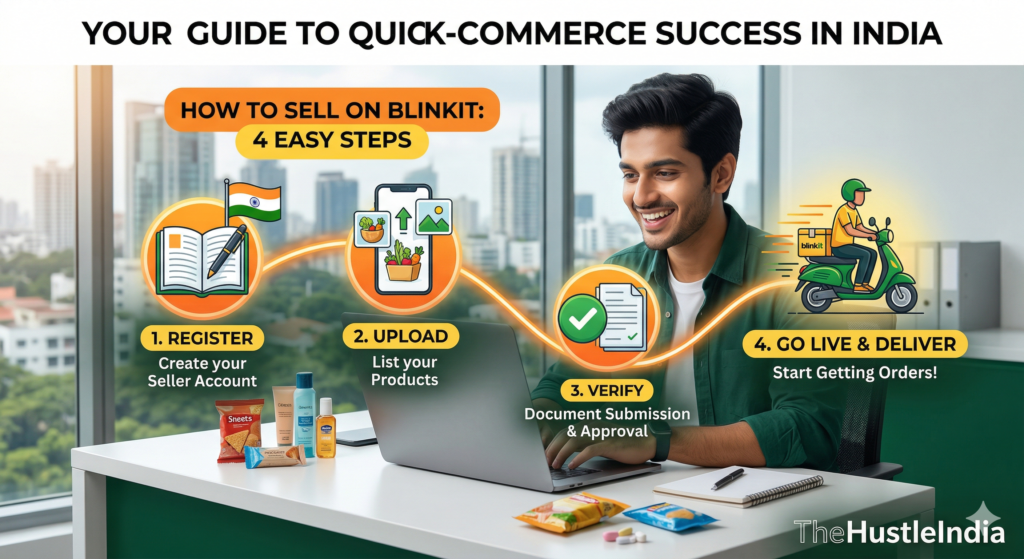
1. Getting Started: The 4-Step Launch Process
Getting live on Blinkit is easy. The platform has four steps to start selling:
Step 1: List Your Products. Add descriptions, attributes, images and videos to attract customers.
Step 2: Apply for APOB. You must add Blinkit’s warehouses and darkstores to your GST as an Additional Place of Business (APOB).
Step 3: Activate Listings. There is a fee of ₹25,000 per product. But this amount is given back to you as Blinkit Ads so you can promote your products away.
Step 4: Ship to Blinkit. Once listed and activated you send your products to a Blinkit warehouse. Blinkit then handles delivery to its darkstores.
2.Master the Supply Chain
Blinkit works with sellers taking APOBs on their GST for both Blinkit warehouses and darkstores.
Inventory Management. You manage stock based on the systems recommendations.
Distribution. Blinkit handles logistics from the warehouse to darkstores.
3.Understanding Costs and Commissions
Being transparent is important for a business. The Seller Hub has a Commissions Calculator to help you plan.
The main charges you should know are:
1. Inwarding Fee. A fee (e.g. ₹5 per unit) when products arrive at the warehouse.
2. Storage Fee. Based on how your products are stored and their size.
3. Platform & Fulfillment Fees. Charged based on products sold and orders fulfilled.
4. Return Charges. You are charged (e.g., ₹50 per item) for returns to damaged or partially missing items.
4.Growth Tools: Data-Driven Success
Blinkit gives you tools to help you grow:
1. Keyword Analytics. See what customers are searching for in your area.
2. Location Analytics. Check where you need more darkstore coverage.
3. Ads Portal (Brand Central). Create and track ads to boost your products visibility.
5.Operations & Payouts
Managing your business is simple with the Billing Tab:
1 Sales Summary. View daily sales.
2. Payout Cycle. Payouts are released every 15 days.
3. Invoices. Download monthly invoices for services like storage and ads.
Pro-Tips for New Sellers
1.UPC is Mandatory. You need a barcode (UPC) for every product. Blinkit offers exemptions if needed.
2. FSSAI Requirements. For food products you need licenses for sending and receiving locations.
3. Attend Training. Book a slot in seller training, for expert help.
By using these tools and following the process you can grow your brand with Blinkit. Ready to start? Visit seller.blinkit.com.